The app reads data from the engine computer through a Bluetooth OBD adapter and tells you when the DPF is regenerating – so that you don't switch the engine off in the middle of it.
Screenshots
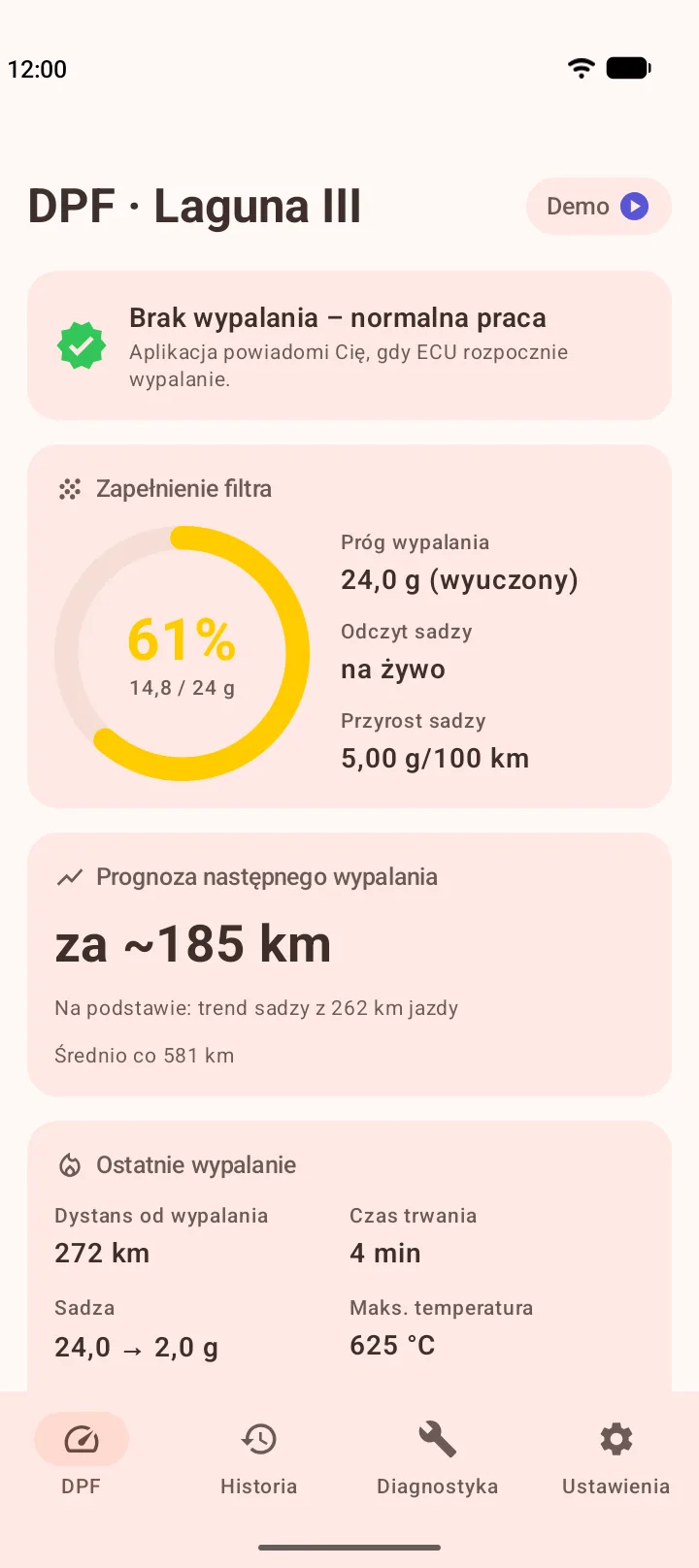
Soot live and the forecast of the next regeneration 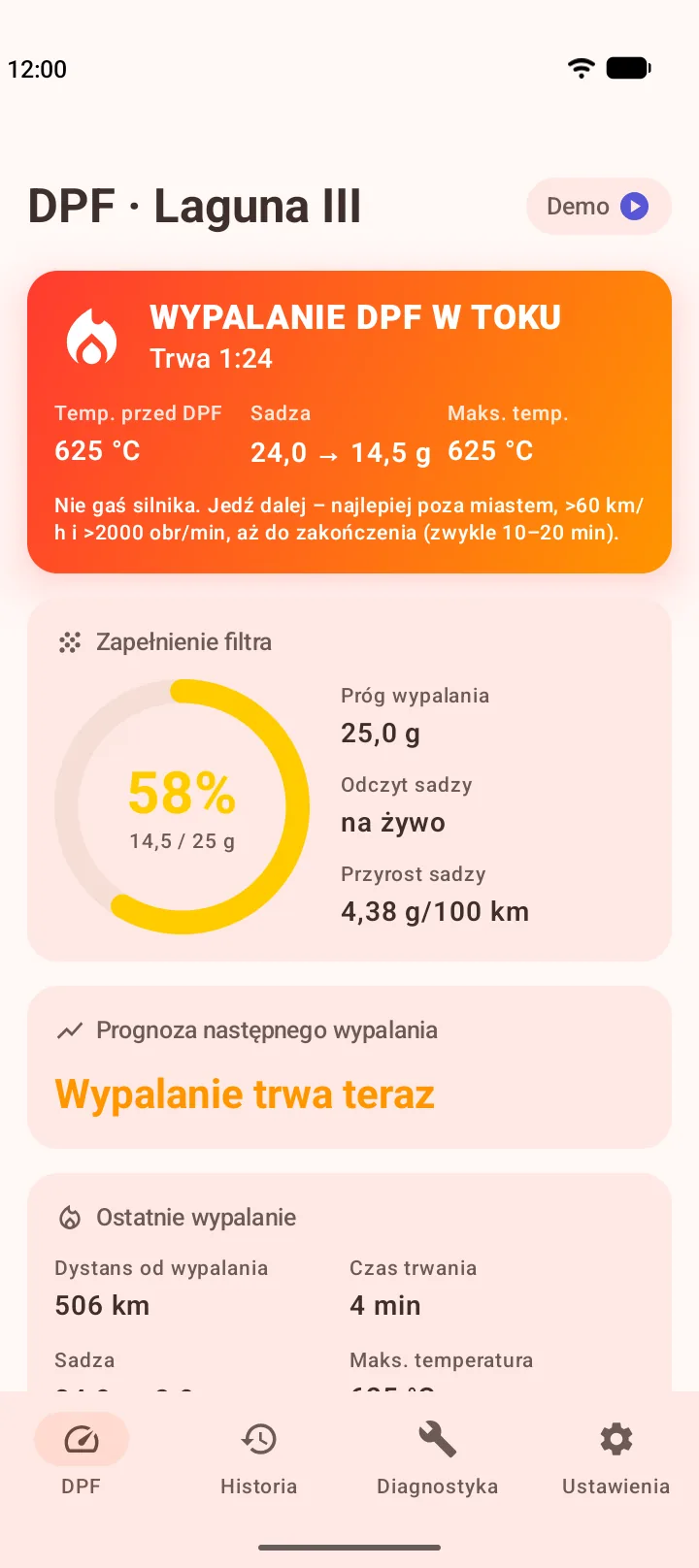
Regeneration in progress: temperature, soot burn-off and duration 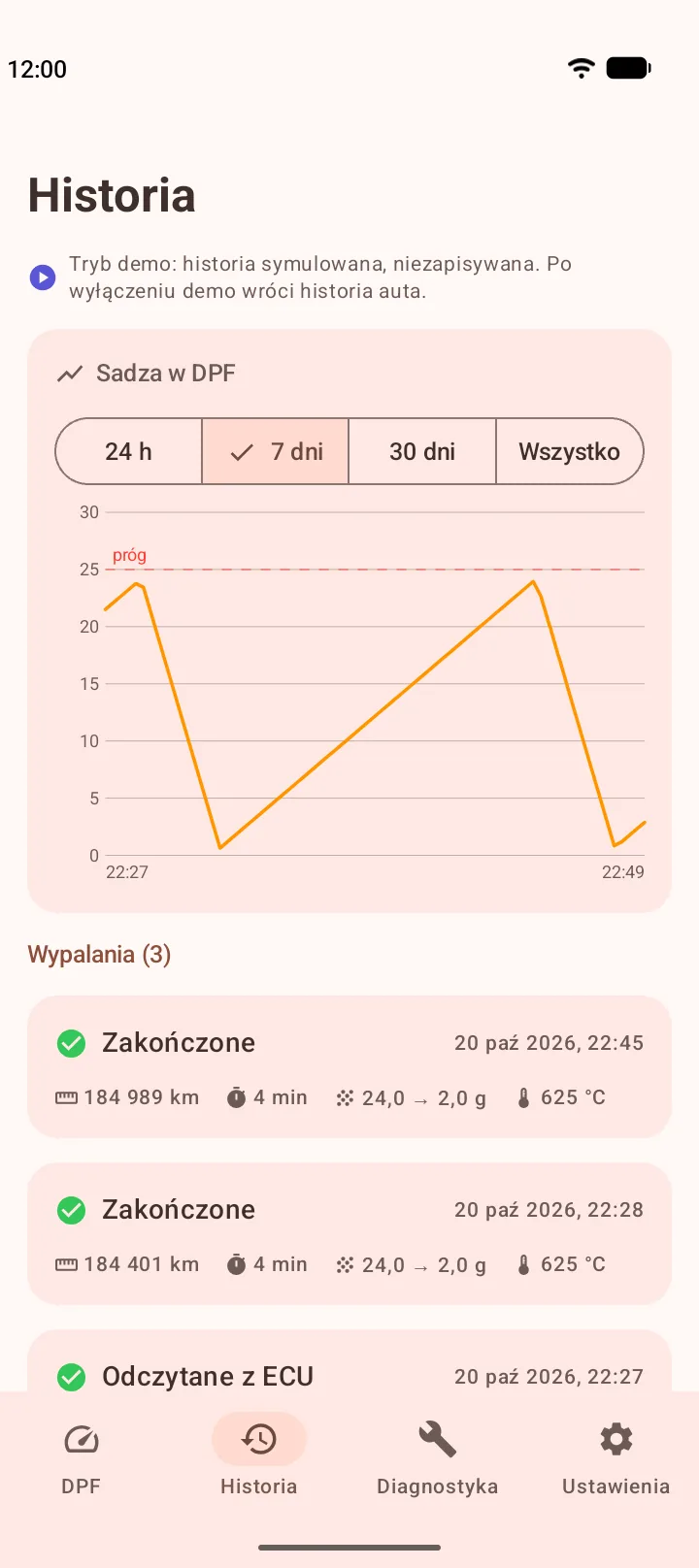
Regeneration history and the soot chart 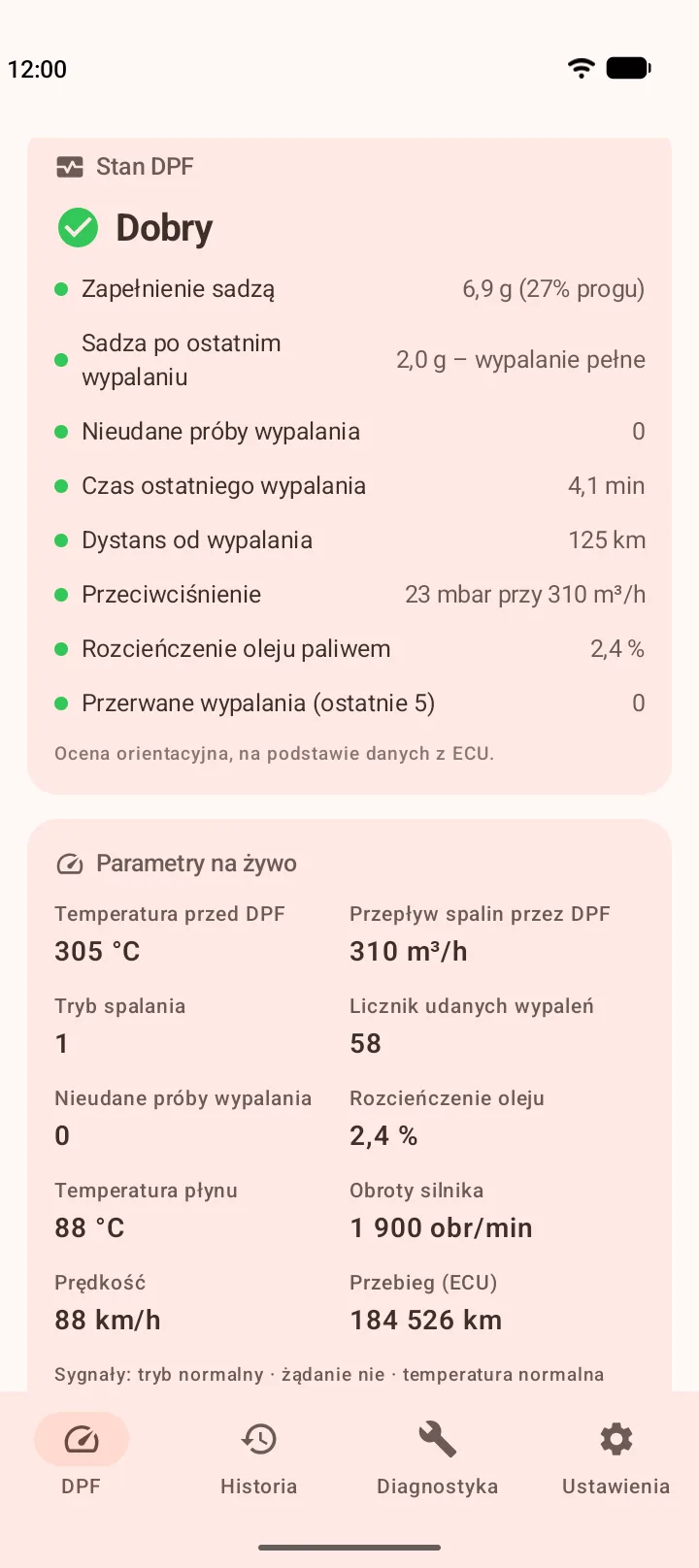
Approximate DPF condition and live parameters 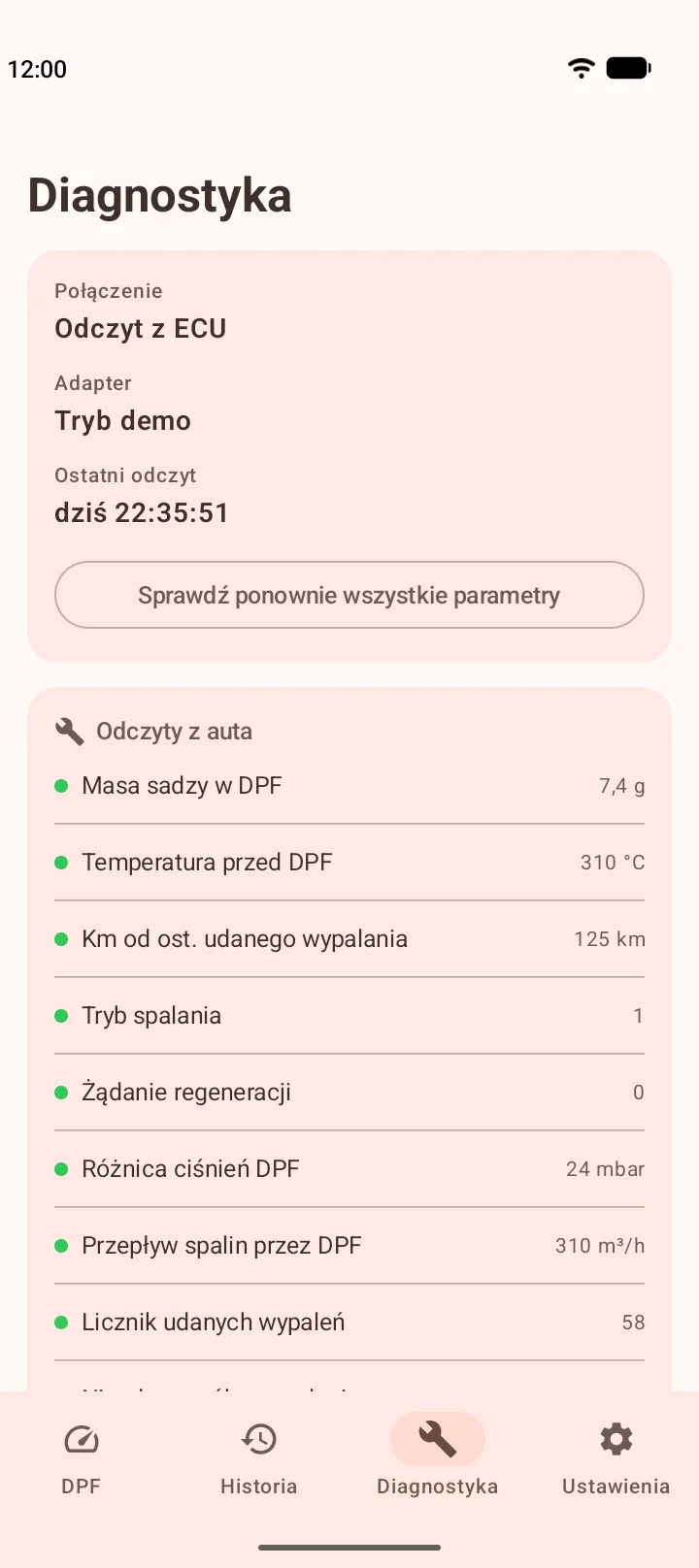
Diagnostics: which readings your car provides


Screenshots of demo mode, a simulated car. The app is in Polish for now.
Features
- Soot load of the filter (g and % of the regeneration threshold) – live, and the last reading while the car is parked.
- Regeneration in progress: temperature before the DPF, soot burn-off and duration – on screen and in a notification.
- A “regeneration soon” warning when the soot gets close to the threshold while driving.
- A forecast of the next regeneration in km and days, based on your driving.
- Regeneration history and a soot chart.
- An approximate assessment of the DPF's condition: complete and incomplete regenerations, interrupted regenerations, back pressure, oil dilution.
- Diagnostics: whether the app is connected and which readings your car provides.
Free and Pro
- For free you can check that your car responds and see the soot live and a regeneration in progress while the app is open.
- Pro watches the DPF for you: background monitoring, notifications, history, forecast, DPF condition and data export. A yearly subscription with 14 days free, or a one-time purchase for good.
Requirements
- Car: Renault Laguna III 2.0 dCi with the M9R engine and a DPF.
- Adapter: ELM327 with Bluetooth LE 4.0 (such as Vgate iCar Pro BLE, Veepeak BLE or V-LINK) or with Bluetooth Classic (the cheap “OBDII” adapters without “BLE”, paired with a PIN, usually 1234 or 0000).
- Phone: Android 8.0 or newer.
Demo mode shows the app with simulated data, without a car or an adapter.
Download
The app is coming to Google Play soon. Want to test it early? Write to dpf@jawor.me – an Android phone is all you need, demo mode works without a car.
Running in the background
Pro watches the DPF without the app being open. While monitoring runs, you see the ongoing DPF Monitor notification. Most phones need no settings, but some makers close apps running in the background, especially after “Clear all” in recent apps. In that case, set up your phone as below.
The same guide is in the app, in Settings → Connection → Running in the background. Its buttons open the system screens you need right away.
Xiaomi, Redmi and POCO
Xiaomi closes apps more aggressively than Android itself. Without these settings, “Clear all” in recent apps stops DPF monitoring until you open the app again.
- Lock the card in recent apps. Open recent apps, press and hold the DPF Monitor card and tap “Lock” (the padlock). Then “Clear all” does not close it. This is the most important step.
- Turn on Autostart. If the system closes the app anyway, Autostart lets it come back by itself after about 1.5 minutes. Turn on the switch next to DPF Monitor.
- Battery: “No restrictions”. Battery saver may close apps that run in the background for a long time. Choose “No restrictions”.
Huawei and Honor
Huawei and Honor close apps running in the background unless you allow them by hand.
- Lock the card in recent apps. Open recent apps and drag the DPF Monitor card down until a padlock appears. Then clearing recent apps does not close it.
- App launch. For DPF Monitor, turn off “Manage automatically” and turn on all switches: auto-launch, secondary launch and run in background.
Samsung
Samsung usually does not close monitoring when you clear recent apps, but it puts apps you haven't opened for a while to sleep.
- Battery: “Unrestricted”. In the app info, open “Battery” and choose “Unrestricted”.
- Don't put the app to sleep. In Settings → Battery → Background usage limits, open “Never auto sleeping apps”, tap “+”, select DPF Monitor and tap “Add”. Then the system does not put the app to sleep, even if you don't open it for a long time.
Oppo, Realme and OnePlus
Oppo, Realme and OnePlus close apps when you clear recent apps.
- Lock the card in recent apps. Open recent apps, open the menu of the DPF Monitor card (⋮ or a swipe down) and choose the lock.
- Allow background activity. In the app info, open the battery settings and allow DPF Monitor to run in the background.
Other phones
Android usually does not close monitoring when you clear recent apps. If it stops anyway, turn off battery optimization for DPF Monitor.
While monitoring runs, you see the ongoing DPF Monitor notification. If it disappears, open the app – it will connect to the adapter again.
Important
- The app only reads data; it changes nothing in the car and does not force a regeneration.
- The readings are approximate and do not replace a diagnosis at a garage.
- Don't use your phone while driving.
- Data from the car stays on your phone – no accounts, ads or analytics. You send an anonymous diagnostic report only if you want to, and you see it before sending. Details are in the privacy policy.
Contact
dpf@jawor.me – questions, bugs and cars the app does not work with.
A log helps the most: in the app, Diagnostics → “Send logs to developer”. If you send an anonymous report, quote its number in your message.